PandaFarm
Custom firmware for BTT Panda Touch / K-Touch
A mixed Bambu Lab and Klipper farm dashboard in a Studio-style list.
Web Flasher · GitHub · Releases

Screenshots
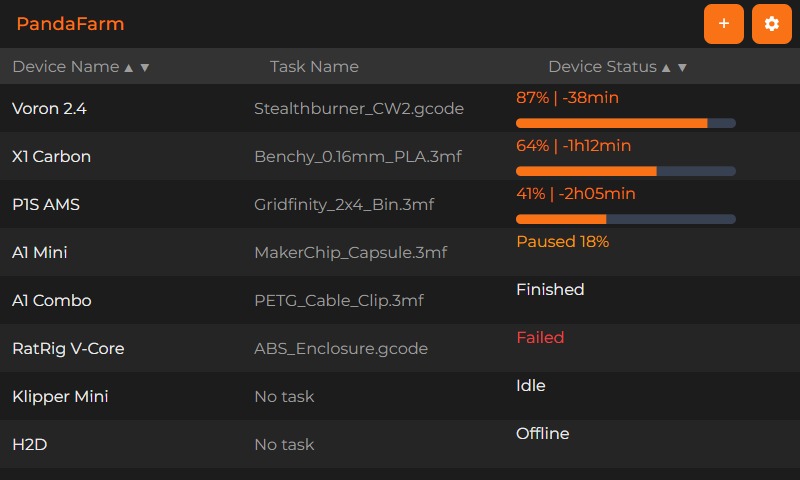
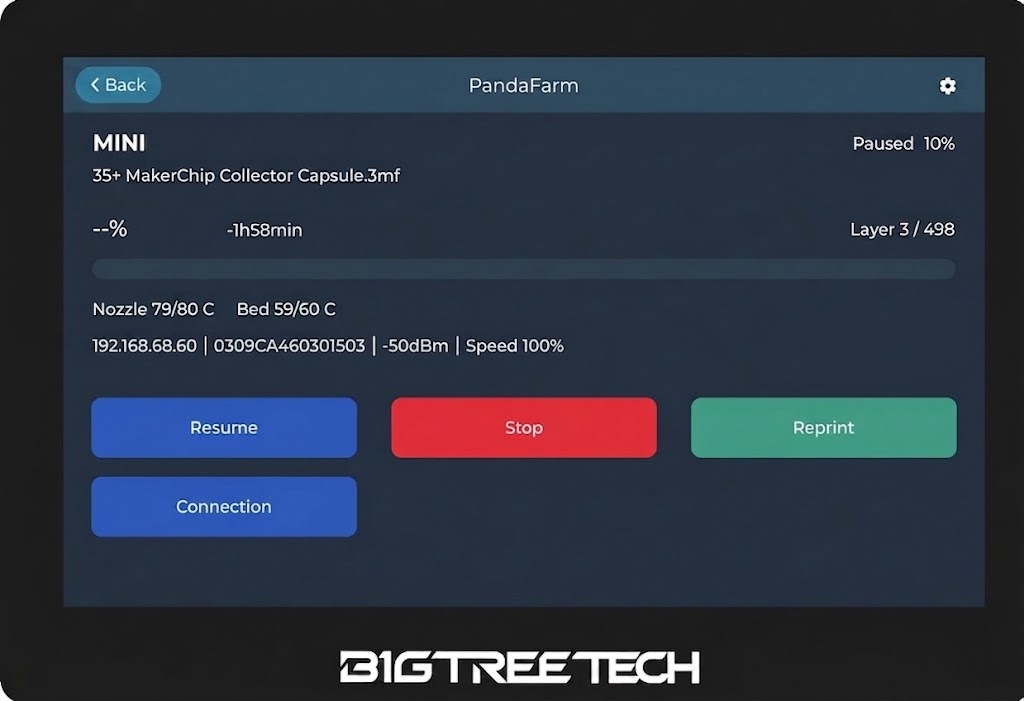
v0.3.4 — Bambu MQTT that actually connects
Bambu printers no longer show MQTT unreachable when the IP and LAN access code are correct. The panel was running out of RAM during the encrypted MQTT handshake; that handshake now uses PSRAM so local MQTT works while idle and while printing.
v0.3.3 — WiFi that survives a power cycle
Saved WiFi no longer disappears after a power cycle. Scan again pauses printer links first so the panel does not reboot, and it merges two passes so the network list stays complete. The farm list has a refresh button next to + that re-polls printers, printing ones first.
v0.3.2 — Printer save control and WiFi scan
Printer Setup and WiFi Setup now have a save icon next to Back, so settings can be saved without hunting for a button off the bottom of the screen. Opening WiFi no longer reboots the panel, and Scan again finds nearby networks without freezing the display.
v0.3.1 — Smoother farm list scrolling
The farm list no longer jumps to the top while it refreshes. Scroll stays put when you have more than one screen of printers, and live status still updates in place.
v0.3.0 — Bambu Lab and Klipper
One farm list for both printer types. Add a printer, pick Bambu Lab or Klipper, then enter connection details. Printers saved on older firmware stay Bambu Lab after you update.
- Bambu Lab — IP + LAN access code. MQTT/TLS on port 8883. SSDP discovery on the LAN.
- Klipper — Moonraker HTTP on port 7125, optional API key. Pause, resume, stop, and reprint.
Flash firmware
Use Chrome or Edge on a desktop PC. Connect the panel with a USB-C data cable, then flash from the browser.
Open PandaFarm Web Flasher